Claude
Upload what you have. Claude drafts the schedule.
A budget, a space plan, the basic facts about the job — the documents that already exist. Claude reads them and drafts a fully linked CPM schedule in minutes, as a proposal you review before a single date lands in your project.
The trust model
Claude works on your schedule. You approve every change.
Claude can read the project information your account can see, and draft schedule changes, imports, and narratives as proposals. It cannot commit a change to the schedule. That is not a setting anyone can turn off — the software has no route that would let it.
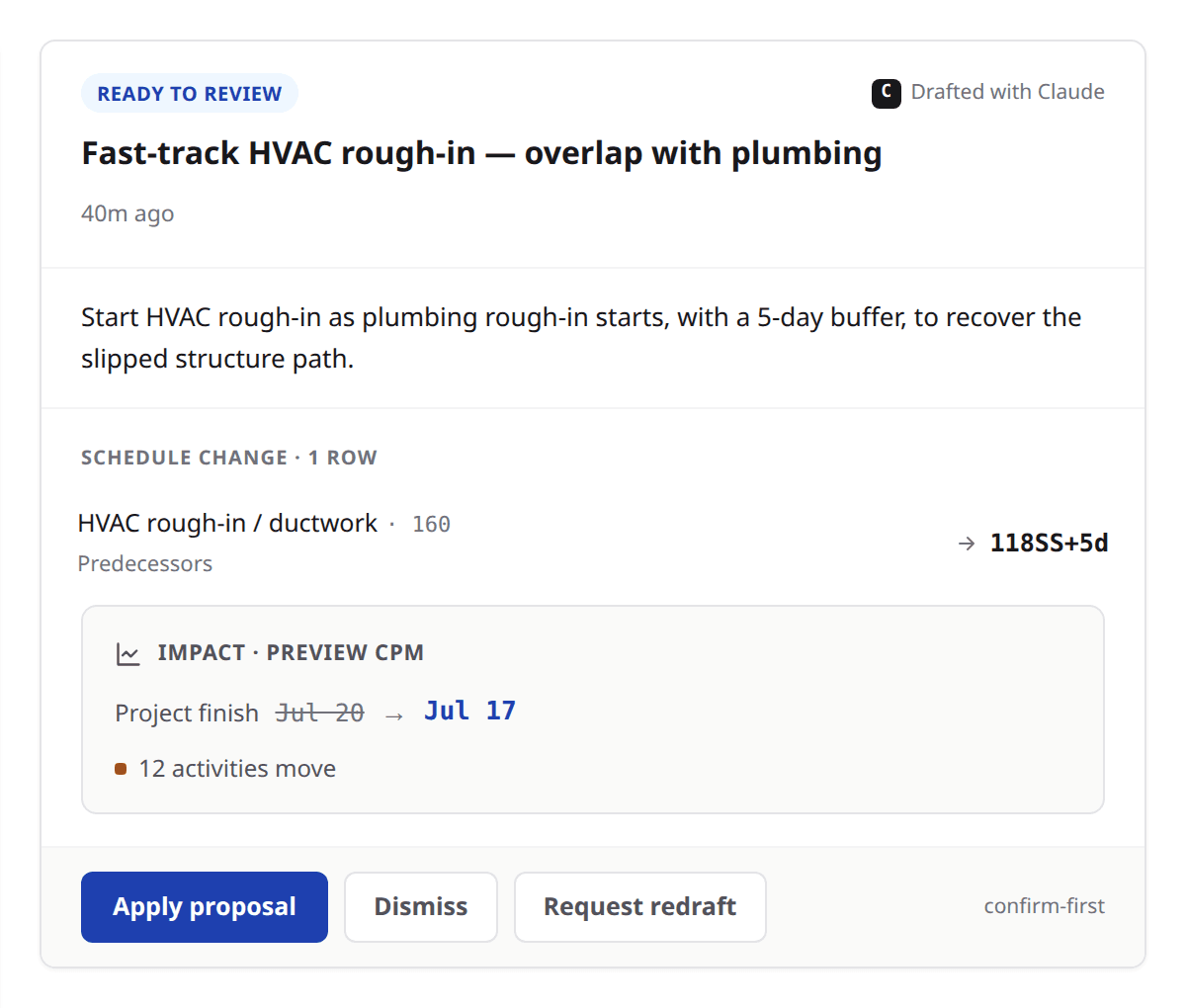
A proposal arrives with what it would change and why. You see it on your real grid — the actual dates the engine computes if you accept — then apply it or send it back for a redraft. Applying commits exactly the way a manual edit does: logged, attributed, reversible.
Ask Claude
Docked beside the schedule you are looking at, reading the same project you are. Ask why the finish moved, what is driving it, or what happens if the steel slips two weeks. Answers arrive live, and you can see the tools it is using as it works.
Proposals
Draft, apply, dismiss or send back. Every AI-authored change goes through one reviewable surface that shows the engine's computed impact up front — how many activities move and what it does to the project finish.
One model, one set of rules
Claude addresses the same model the grid addresses, under the same permissions. It cannot see a field your account cannot see, and it has no side door.
Import
AI schedule drafting from the file you already have.
Drop in a Microsoft Project XML file. Claude reads it and drafts it back to you as a proposal — the same review surface as any other change, with the questions it had to ask itself written down beside the answer.
Nothing writes straight into your project, and there is no silent bulk load that leaves you guessing at what it did. A file Brikt does not read is refused with a clear message rather than half-imported.
The claude.ai connector
Use Brikt from Claude, and Claude from Brikt.
Brikt runs an MCP server, so Claude on claude.ai can connect to your projects directly. Ask about a job from wherever you already work.
It is draft-only by construction: the connector exposes reading and drafting, and there is structurally no apply on the other side of it. Anything Claude wants to change comes back as a proposal waiting in Brikt, for a person to review on the grid.
Memory
Claude remembers your project.
How you plan, what you decided, what matters on this job. Claude learns your project and your preferences as you work, so you are not re-explaining the same job at the start of every session.
What it learns belongs to the project it learned it on. You can read what Claude has remembered and tell it to forget any of it.
Built on Claude
Named where it acts.
Brikt is built on Claude, Anthropic’s AI model. Claude is named at every point it touches your project — the drafts it writes, the answers it gives, the proposals waiting for review — so you always know what produced the thing in front of you.
Brikt helps project teams plan, manage, document, and communicate construction schedules. Final review and responsibility for every schedule, narrative, notice, and report remain with the project team.
Bring your documents. Watch it draft.
The demo is your job, not ours. Send what you have and we will draft it in front of you.